Introducing a new mod for Minecraft Pocket Edition (MCPE) that significantly enhances the appearance of glass: Clean and Clear Glass. This exciting modification streamlines the look of vanilla glass blocks and panes, optimizing their clarity while ensuring visual coherence among various glass types.
About Clean and Clear Glass
As of Minecraft version 26.1, Clean and Clear Glass operates as a standalone Fabric mod. For users on earlier versions of the game, it’s suggested to utilize the original resource pack variant instead. Tailored for Minecraft 26.1.x and later, this mod elevates the aesthetic appeal of vanilla glass, providing a neater and more transparent look while maintaining consistency in visual aspects. It enhances the rendering of glass elements on the client side without altering the original game mechanics.
This client-side visual enhancement requires only the Fabric API to function effectively.
Key Features
- Improved connected rendering for standard glass blocks
- Enhanced connected rendering for glass panes
- Compatible with regular glass, stained glass, and stained glass panes
- Maintains the visibility of outer boundaries while concealing connected internal borders
- Provides cleaner surfaces for windows, walls, and large glass structures
- No additional blocks or items are introduced
- OptiFine is not necessary
- No CTM or Continuity mods are required
- Indium is also not needed
Settings Overview
Clean and Clear Glass comes equipped with an in-game settings interface which can be accessed by:
Alt + GThis key command is customizable in Minecraft’s:
Options > Controls > Key BindsIf you have Mod Menu installed, the settings can also be accessed directly from there. The following options are available:
- Enable or disable Clean and Clear Glass rendering
- Select Tinted Glass style, with choices including:
- Default
- Clear

Special Tinted Glass Options
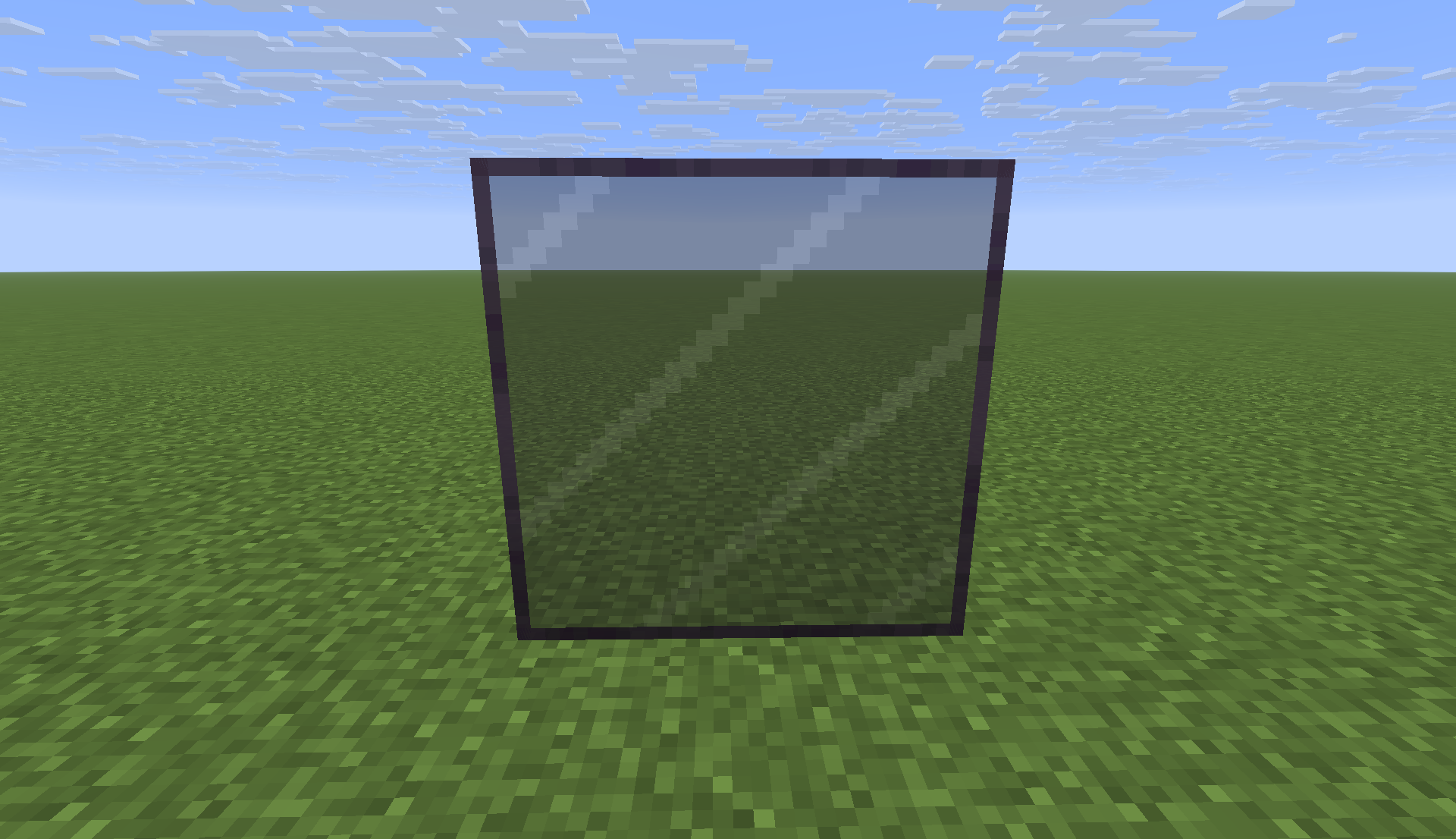
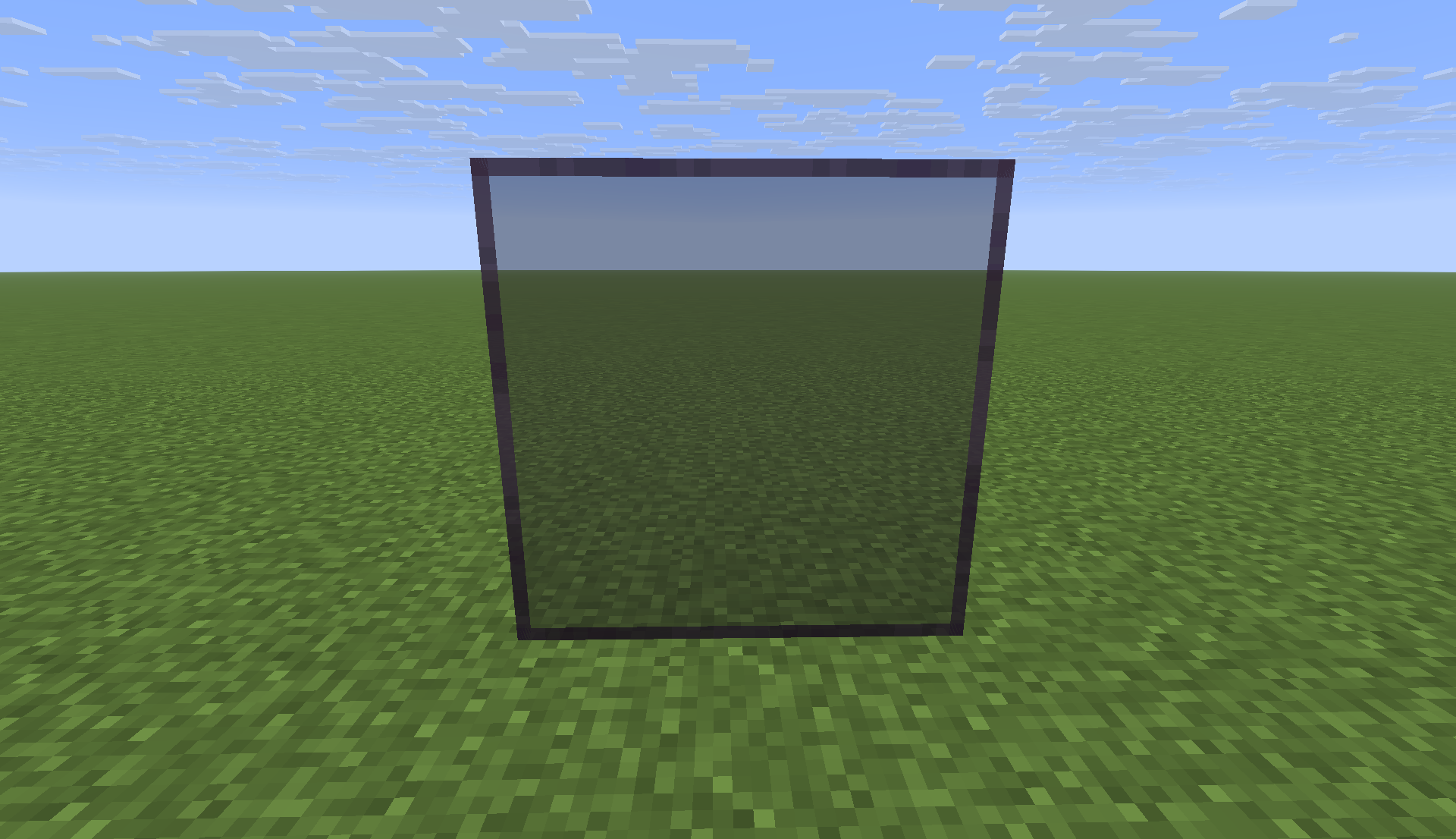
Description of the Tinted Glass styles in this mod. Default Tinted Glass Clear Tinted Glass The Default style features a unique design with clean, connected white markings that run seamlessly across adjacent tinted glass blocks, ensuring larger tinted areas appear cohesive. This approach helps distinguish tinted glass from black stained variants while maintaining its darker profile. An additional Clear style is available that enhances see-through capabilities, though it may resemble black stained glass more closely, which is why the Default style is favored. Installation Guide
- Download and install Fabric Loader compatible with the version of Minecraft you are using.
- Obtain and install Fabric API.
- Download the Clean and Clear Glass mod.
- Transfer both
.jarfiles to your Minecraftmodsdirectory:
- Fabric API
- Clean and Clear Glass
- Start Minecraft using the Fabric profile.
System Requirements
- Minecraft Java Edition version 26.1 or higher
- Fabric Loader
- Fabric API
- Java version 25
- Mod Menu is optional for additional functionality.
Important Notes
Clean and Clear Glass primarily modifies the client-side rendering of standard glass blocks, glass panes, and their associated item models without introducing custom blocks, crafting recipes, or altering gameplay. The mod aims to create a more aesthetically pleasing experience with vanilla glass that is cleaner and more appealing for players’ constructions.