


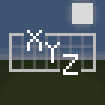
Design your personalized HUD while playing — generate custom widgets using templates that include live data such as coordinates, FPS, armor durability, and more, which you can also reposition and style. This mod operates on the client side and is compatible with any server.
Introducing HudForge
Customize your HUD in Minecraft effortlessly — no file configurations or coding required. HudForge is a Fabric mod designed for client-side use, allowing you to craft unique HUD widgets from predefined templates. You can place them anywhere on your screen and modify their appearance directly within the game. Display information like coordinates, FPS, durability of armor, biome information, real-world time, and much more — all according to your preferences.
Key Features of HudForge
- In-Game Editing Tools — Simply press H, reposition widgets anywhere on the screen without the hassle of manual file editing.
- Customizable Template Widgets — Create any widget from a text template that utilizes live data placeholders, such as
XYZ {x} {y} {z}or{helmet_icon} {helmet}. - Item Representation — Display armor and equipped item icons alongside their durability status.
- Multi-Line Widget Support — Merge multiple lines into a single widget for more information management.
- Comprehensive Styling Options — Adjust the background opacity, text opacity, and scale of each widget with user-friendly sliders.
- Preconfigured Widgets — Utilize ready-to-go widgets at the click of a button for Coordinates, Armor, Speed, Health, and more.
- Client-Side Functionality — The mod works seamlessly on any server, and there’s no requirement for other players to have it installed.
Steps to Utilize HudForge
- Press H while in-game to access the editor.
- Hit + Add to choose either a preset or an empty template.
- Select a widget for editing: drag it to reposition, right-click to toggle visibility, and use the style panel for modifications.
- For template widgets, enter your custom format or select placeholders from the list for quick insertion.
- Utilize
|(or the new-line button) to divide a widget into several lines.
Data Availability
HudForge allows access to various data points, including coordinates, chunk position, directional heading, biome type, in-game day, real-world time, FPS, player speed, light levels, difficulty setting, health status, hunger levels, armor points, XP levels, tool and armor durability per slot, and even the distance traveled. You can also include item icons for both armor and currently held items.
Installation Process
- Acquire the Fabric Loader compatible with Minecraft version 1.21.11.
- Download the Fabric API.
- Place the mod file in your
modsfolder.
Compatibility Information
This mod is designed for Minecraft version 1.21.11 and requires Fabric. It operates solely on the client side, making it safe for use across any server.


