


A compact modification that tracks the areas filled on an empty map, utilizing that data to indicate the coordinates of the regions encompassed by a filled map.
Understanding Filled Map Coordinates
This lightweight mod records the locations where an unfilled map gets filled and utilizes that information to display the area’s coordinates that the filled map represents.
Screenshots
When advanced tooltips are turned off:
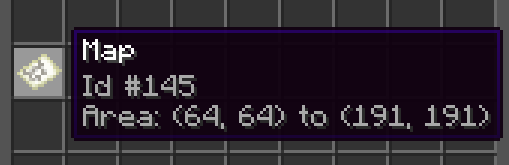
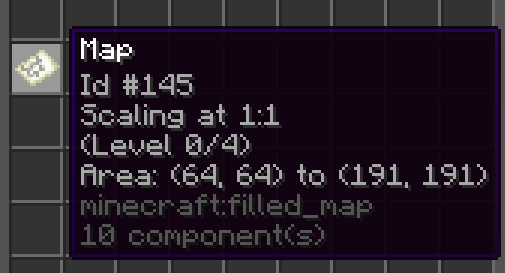
When advanced tooltips are turned on:
Configuration Options
This mod features a single configuration option, and if you’re not looking to modify it, you can simply skip the installation:
# If activated, the mod saves coordinate details onto the map item whenever a new filled map is created
enabled: true
You can adjust the config in-game by executing the command /mapcoordinates true/false. Alternatively, you can edit it manually by navigating to config/FilledMapCoordinates/config.yml.
How to Use the Mod
Once enabled, use maps like you typically would. Each time you create a new filled map, Minecraft will save precise coordinates of where you created it, embedded in custom component data on the map item. The mod then calculates the coordinates for the top-left and bottom-right corners of the area that the map covers.
Furthermore, it logs the scaling level of the map and will automatically update it if you zoom out on a cartography table. To learn more about how zoom levels and scales affect map coordinates, you can refer to the Wiki.
The mod must be installed on both the server (to store the data) and the client (to display the data). Note: Existing maps prior to the mod’s installation won’t display the new tooltip details since they lack the necessary coordinates metadata.
If you choose to uninstall the mod later, the metadata stored by it should not cause any issues.
This mod was developed with inspiration from somyk‘s creation, Map Art Copyright. Thank you for your contribution!


